1. Get Ready to Create
We'll confirm your computer and software setup before your session. You'll need headphones, reliable internet and Zoom.

GUIDED BEAT-MAKING
Explore sounds, create your own rhythms, and enjoy making music with personal guidance. Take time to experiment, express yourself, and see where the experience leads.
A private, one-on-one online creative experience over Zoom. You actively make music while Dedrick Odomes facilitates and guides you.
Creative Reset — $45 / 45 minutes
No previous music production experience is required. The focus is enjoyment, expression, and release—not a conventional production lesson.
View Session Details & Pricing →
YOUR SOUND. YOUR EXPERIENCE.
Ever wondered what it feels like to make your own beats?
With Therapy of Sounds, you can explore music creation in a private, one-on-one Guided Beat-Making session—even if you've never used music-production software before.
You'll use Reason Free by Reason Studios on your own compatible Windows or Mac computer while Dedrick Odomes, an experienced music producer, introduces sounds and guides your hands-on creative exploration. You actively make music during your online session.
You don't need to arrive with a beat idea or know how to produce music. You'll participate in the process with guidance along the way.
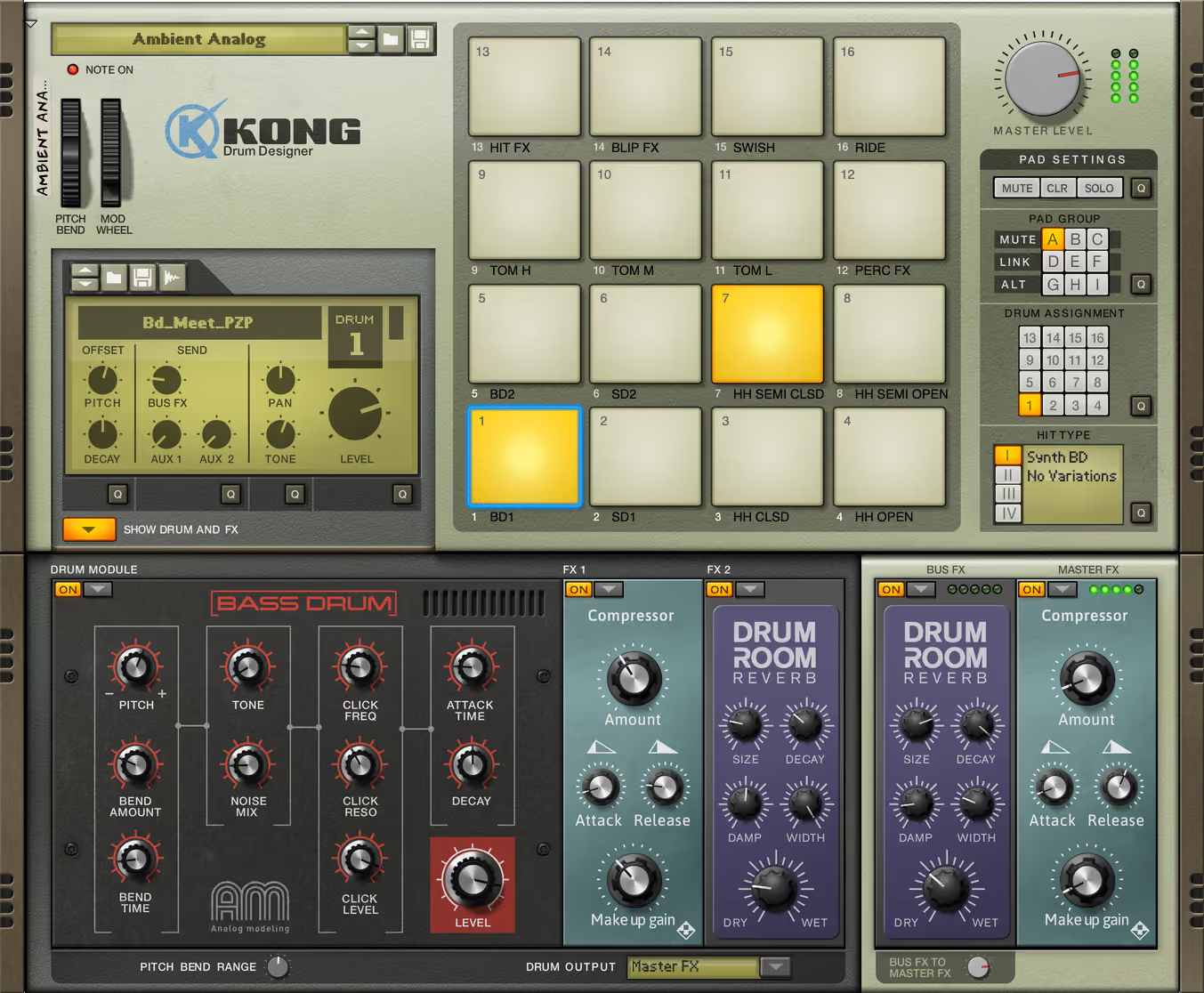
We'll confirm your computer and software setup before your session. You'll need headphones, reliable internet and Zoom.
Use the production software yourself while Dedrick demonstrates possibilities, introduces sounds and helps you experiment with beats and rhythms.
Reason Free has no trial expiry, so you can keep exploring with the included free tools after your session. Paid upgrades and extra devices are optional.
Reason Free includes a standalone music-making app with up to 16 audio or instrument tracks and 15 included Rack devices. You do not need a paid Reason+ subscription or another DAW for our guided experience. The included Rack plugin is optional and requires a compatible host if you choose to use it.
Create or sign in to a free Reason Studios account through the official Reason Free download page, then follow its download, installation and activation steps. Confirm your setup with us before installing or booking.
Reason Studios lists macOS 11 or later on a multi-core Intel or Apple Silicon Mac, or Windows 10 (64-bit, version 1607 or later) / Windows 11 on a multi-core Intel or AMD computer. Windows on Arm requires Prism emulation. This is desktop software; Linux, Chromebooks, phones and tablets are not listed as supported platforms.
Minimum requirements include 4 GB RAM, a 1280 × 768 display and internet for installation and registration. The current installation manual lists 8 GB of system disk space, plus space for optional content and up to 20 GB of working space. Check the current official system requirements for your download.
On Mac, supported built-in audio or a CoreAudio interface can be used. On Windows, Reason Studios lists an audio interface with an ASIO driver. Keep your headphones, reliable internet and Zoom ready; we will confirm that you can hear the music and speak during the session before booking. A MIDI keyboard is recommended by Reason Studios, not required for our guided experience.
If you already use Reason 10–13, check Reason Studios’ installation guidance first: installing Reason Free can replace your existing Reason Rack plugin. Therapy of Sounds provides independent creative guidance; this is not a Reason Studios partnership, sponsorship, certification or endorsement.
THE EXPERIENCE
Free music software and tutorials can help you get started. Guided Beat-Making offers something different: a creative experience with someone who can answer questions, demonstrate possibilities, suggest starting points, and help you explore your own ideas as you create.
You make creative choices and experiment with the music yourself. Dedrick offers practical guidance and encouragement without judgment, so you can participate without needing to figure out every step alone. The focus is enjoying the process, not producing a perfect track.
You’re welcome to talk about everyday life while creating, or focus entirely on the music. Attentive listening and ordinary encouragement are part of the creative session—not counseling or ongoing personal support.
Create with sounds and rhythms.
Give curiosity or personal expression room.
Step away from routine and spend time doing something creative.
CARRYING SOMETHING?
Write what’s on your mind. No name. No account.
This feature does not save or send your writing. Use “Release & clear” to empty the box. Keep sensitive personal information out of it.
SEE THE EXPERIENCE
Private, one-on-one sessions take place online via Zoom:
Creative Reset — $45 / 45 minutes
Explore sounds, create your own rhythms, and enjoy making music with personal guidance. Take time to experiment, express yourself, and see where the experience leads.
Full Guided Session — $60 for 60 minutes.
More time to develop rhythms and shape your musical idea.
4-Session Journey — $210 for four 60-minute sessions.
Return to your ideas and experiment across four guided experiences.
You’ll need a suitable computer, headphones, reliable internet, Zoom, and compatible free music-production software. Your audio setup must let you hear the music and speak during the session. Confirm software and computer compatibility when you inquire, before booking or installing anything.
You’ll receive an audio file of the music we create together within 24–48 hours afterward.
Tell me which session interests you and your preferred days and times, including your time zone. An inquiry does not automatically reserve a session.
Ask About a Guided Session →View Session Options & Pricing →
Guided Beat-Making is a nonclinical creative experience. Therapy of Sounds does not provide psychotherapy, counseling, diagnosis, or mental health treatment, and does not promise a particular emotional outcome. Want structured instruction focused on developing your production skills? View Music Production Lessons.